
Incredibox
SO FAR SO GOODMusic
4.98.80K Reviews
- Version
- 1.0.0
- Installs
- 1.00M
- Age Rating
- Everyone
Screenshots
Our Review of Incredibox
 Analysis by Appyee
When I want to make a little music without opening a full recording setup, Incredibox is an easy place to start. I can build a lively loop by assigning sound icons to animated beatboxers, then swap parts around until the mix feels right. It works as a casual creative break, but it also rewards paying attention to how each layer fits with the others.
A quick first session, with room to listen
My usual starting point is simple: choose a sound, place it on a character, and listen before adding another. The first few choices establish the feel of the track, so I try not to fill every available spot immediately. Leaving space makes it easier to hear what a new beat or vocal part actually changes, rather than treating the screen as a checklist to complete.
That approach is useful if you are new to making music. You do not need to know musical terminology or arrive with a tune in mind; you can discover a direction through small experiments. I also find it works well as a short shared activity: one person picks a sound, another chooses the next, and both can judge whether the growing arrangement feels coherent. It is playful without requiring anyone to perform or understand an instrument.
Settings and habits that make a difference
I would check the device’s sound level before settling into a session, especially if I am using headphones. The main pleasure is hearing how the parts interact, and a comfortable volume makes it easier to compare a new layer with the existing loop. I also prefer a quiet moment when I want to make deliberate choices; in a noisy room, it is tempting to add sounds based on their icons rather than their place in the mix.
A repeatable habit helps more than rushing through combinations. I build a basic pulse first, add one contrasting element, and pause to listen before changing anything else. If a new part makes the result feel crowded, I remove it and test a different role instead. This simple process turns random tapping into a small arrangement exercise, while keeping the experience relaxed.
The game is a paid download at $2.99, so I would think of it as a compact creative toy rather than a free sampler. Its Everyone age rating makes it suitable to consider for family play, although the best fit still depends on whether the person enjoys experimenting by ear. The current version is 1.0.0 and its minimum operating-system requirement is 7.0, details worth checking against your device before buying.
What is Incredibox?
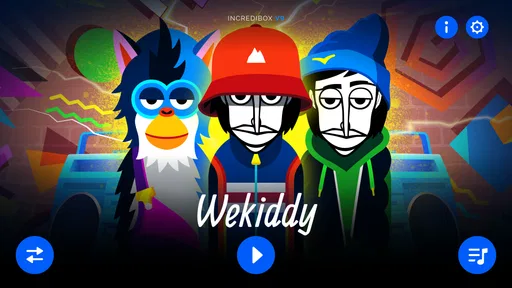
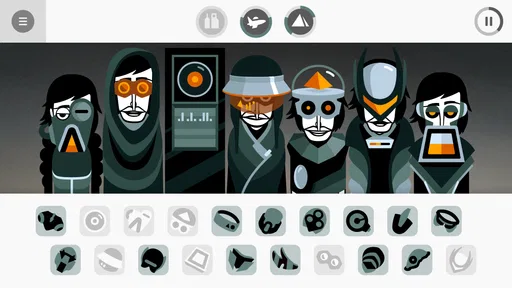
Incredibox is a super fun music creation app that lets you mix and match a variety of beats, melodies, and effects with the help of animated characters. The app is designed to be user-friendly, so even if you're not a pro at making music, you can still create something awesome. The characters in the app are these quirky little guys who help you build your track by adding different elements. It's like having your own personal band at your fingertips.
Why You'll Love It
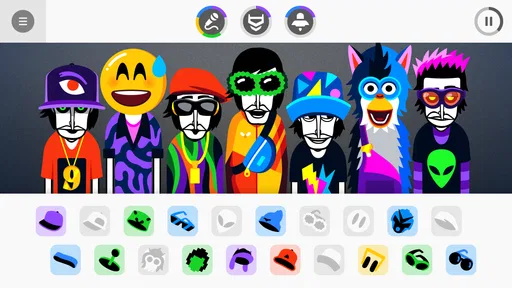
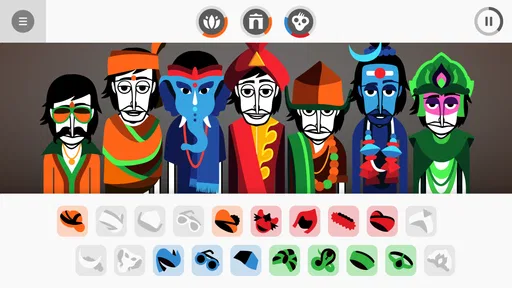
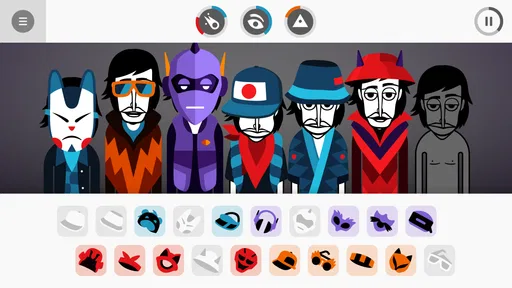
First off, the interface is incredibly intuitive. You just drag and drop different sound icons onto the characters, and they start jamming. Each icon represents a different sound, like beats, voices, or effects. You can mix and match them to create your own unique track. It's as simple as that! Plus, the animations are super cute and add a lot of personality to the whole experience.
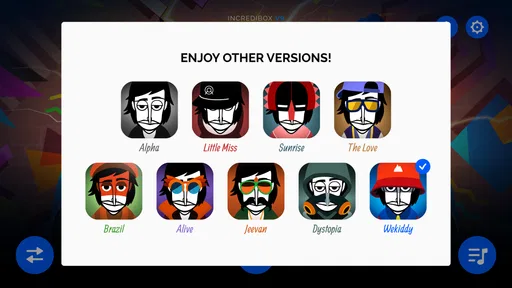
The app also offers several different versions, or "vibes," each with its own unique set of sounds and themes. Whether you're into hip-hop, jazz, or something more electronic, there's a vibe for you. And if you feel like exploring, you can easily switch between them. This keeps things fresh and exciting every time you use the app.
Getting Creative
One of the things I love most about Incredibox is how it encourages creativity. You don’t need to have any musical background to start making tunes. The app almost feels like a game, and before you know it, you've spent hours experimenting with different combinations of sounds. It's a great way to unwind and let your creative juices flow.
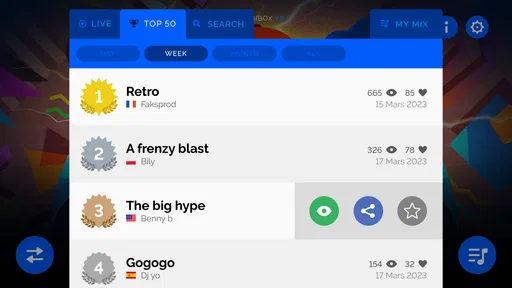
Another cool feature is the ability to share your creations. Once you've crafted your masterpiece, you can save it and share it with your friends or even the wider Incredibox community. It's awesome to see what others have created and get inspired by their unique compositions.
Making a mix you want to revisit
For a more purposeful session, I give each sound a job instead of adding parts just because they are available. A steady beat can anchor the loop; a voice or melody can provide the memorable hook; an effect can add contrast. Listening after each change helps me notice when two elements compete for attention. This is a useful way to make a mix feel intentional without needing the detailed controls of a music workstation.
When I stumble on a combination I like, I treat saving and sharing as a way to keep that result rather than assuming I will remember how I built it. That is especially handy if I am showing a friend an idea or want to compare different arrangements later. Sharing also makes the game more social: instead of only asking whether someone likes the sound, I can let them hear the exact mix and suggest a different direction.
In an everyday scenario, I might open it during a relaxed break, make a short loop, and pass the device to someone nearby to replace one part. We can compare the before-and-after versions by listening, not by debating music theory. For a child, it can be a low-pressure way to explore rhythm and layering; for an adult, it can be a satisfying diversion between more demanding tasks. It is not a substitute for lessons, but it gives curiosity somewhere to go.
Where the playful format has limits
While I absolutely love the app, there are a few things that could be improved. For instance, it would be great to have more control over the tempo or to layer more complex beats. Sometimes, I find myself wanting to tweak things just a bit more than the app allows. However, this is a minor gripe considering how much fun the app is overall.
That boundary is important when choosing between this and a conventional music-making app. Incredibox is built around selecting and combining prepared sound parts, which makes it far easier to approach than a tool that expects you to record, edit, or shape every sound yourself. The trade-off is that someone looking for precise composition control, detailed production options, or a blank canvas may quickly want a different kind of software. I see it as a way to explore arrangements, not as a replacement for a full studio workflow.
It also helps to separate experimenting from finishing. I can spend time trying combinations, but the pleasure comes from finding a mix that works within the game’s structure. If my goal is to write a song with exact timing and fine-grained control, I would choose a dedicated music tool instead. If my goal is to make something catchy in a few minutes and enjoy the characters’ reactions, this format is a better fit.
Also, while the various vibes are fantastic, it would be cool to see even more added in future updates. The app is so engaging that you can't help but want more content to play around with.
Who I would recommend it to
SO FAR SO GOOD made a music game that suits people who enjoy tinkering but do not want a technical learning curve first. It is particularly appealing if you like trying several possible combinations, sharing a result, or making music as a playful group activity. The game has a 4.9 average from around 60,000 ratings, and more than a million installs; that suggests broad enthusiasm, though popularity alone cannot tell you whether its fixed, character-based approach matches your taste.
I would hesitate to recommend it to someone who mainly wants to compose original melodies note by note, record live instruments, or control every production detail. It may also be less satisfying if you prefer a clear objective or a traditional rhythm challenge: the central pleasure here is experimenting with a mix, not chasing a score. Knowing that distinction makes the purchase decision easier. At $2.99, it makes most sense for someone who expects to return to creative play rather than open it once and move on.
Final Thoughts
All in all, Incredibox is a delightful app that offers endless entertainment. Whether you're looking to kill some time, explore your musical side, or just have a bit of fun, this app delivers. It's easy to use, visually appealing, and offers a unique way to create music. So, if you haven't already, give it a try! You might just find your new favorite pastime.
My recommendation is to approach it with modest expectations and attentive ears: it is not trying to be a full production suite, and that restraint is part of why it feels welcoming. Start with a few layers, make deliberate swaps, and save the combinations you genuinely enjoy. If that sounds more appealing than navigating a complex music editor, this is a charming way to turn a spare moment into a little piece of your own.
Verdict
Strengths of Incredibox
- Engaging and interactive music creation.
- Simple drag-and-drop functionality.
- Visually appealing animations.
- Wide variety of sound combinations.
- Offline mode available.
Limitations of Incredibox
- Limited free version features.
- No lyric customization.
- Repetitive sound patterns.
- No collaborative features.
- Not suitable for professional use.
Similar Picks in This Category
View All
Tiles Hop Music & Ball Game
AMANOTES PTE. LTD.4.3

Magic Tiles 3™ - Piano Game
AMANOTES PTE. LTD.4.6

Real Piano
Bilkon3.7

Piano Game: Classic Music Song
Dream Tiles Piano Game Studio4.0

Smash Colors: Music Ball Rush
BADSNOWBALL HONGKONG LIMITED4.2

Piano Music Go-EDM Piano Games
Joy Journey Music Games4.5
Frequently Asked Questions
What is Incredibox and how does it work?
Incredibox is a music app that allows users to create their own music by dragging and dropping icons onto animated characters. Each character represents a different sound or beat, and users can mix and match to create unique music tracks. It's designed to be user-friendly, making it accessible for both beginners and those with musical experience.
Is Incredibox suitable for all ages?
Yes, Incredibox is designed to be family-friendly and is suitable for all ages. Its simple interface and fun animations make it appealing to children, while the creative possibilities ensure that adults will also enjoy experimenting with different musical styles and combinations.
Do I need an internet connection to use Incredibox?
No, once Incredibox is downloaded, it can be used offline. This means you can create music anywhere, anytime, without the need for an internet connection. However, some features, like sharing your creations online, will require internet access.
Can I save and share my music creations in Incredibox?
Yes, Incredibox allows you to save your music creations within the app. You can also share your tracks with friends or on social media platforms directly from the app. This feature makes it easy to showcase your musical talents and get feedback from others.
Does Incredibox offer in-app purchases?
While Incredibox is a paid app that requires an initial purchase, it does not include in-app purchases. This means you get access to all features and content without additional costs, ensuring a complete and uninterrupted experience once you've downloaded the app.
Play our best games!


